
Key Takeaways:
- Full array was invented to correct poor color displays caused by edge-lit LEDs
- This type of monitor is ideal for gamers and people concerned about image quality
- Full array LEDs can be a cheaper alternative to OLEDs
While LED and LCD monitors have made visual content more enjoyable thanks to a slim screen and truer colors, they’re not without drawbacks. Usually, one of the main failings of an LCD screen is that the blacks aren’t true. Because of how they’re lit when you’re viewing content with black or dark colors, the image can look bluish rather than a true black as you would get with an OLED screen. As a result, full-array local dimming is an innovation that aims to correct this well-known problem with LED screens. Keep reading to learn more about the best monitors on the market.
The History of Flat Screen Monitor Lighting
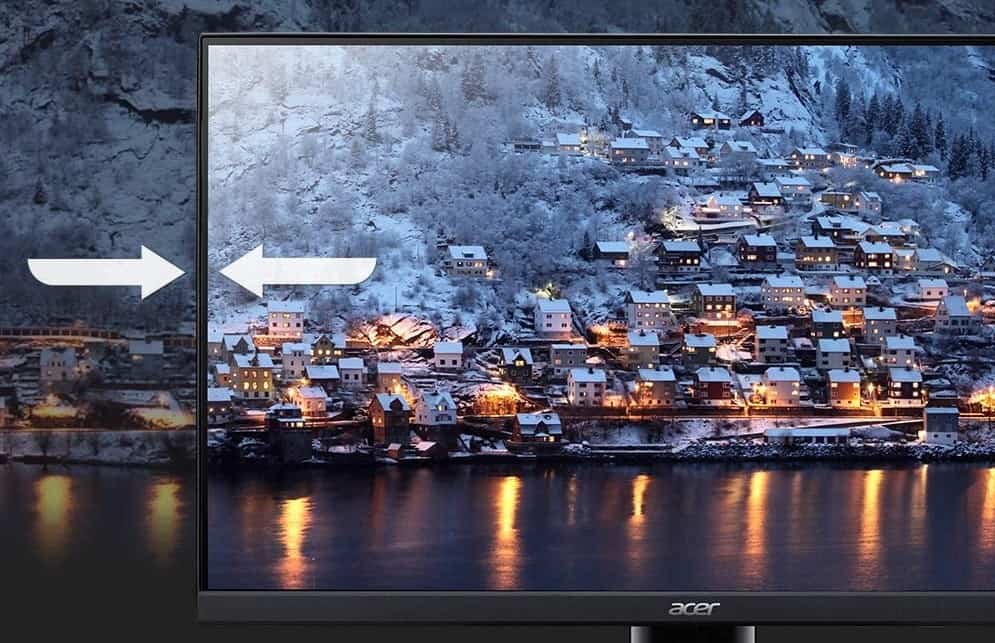
As opposed to old school CRT monitors, LED and LCD screens are backlit. But the variance comes into where the lighting is located. For the longest time, edge-lit placement was the brand standard. With this version, the lighting was placed along each edge of the screen.
For even more info, check out our resource article about the brief history of computer monitors, and how they performed back in the day.
But What is Local Dimming?
Local dimming refers to a screen’s ability to depict darker colors. The actual process involves dimming and illuminating the light source or LEDs to allow select colors to be displayed. And the reason it’s called local is that, depending on the image being displayed, the entire screen may not need to be dimmed or illuminated.
This is one area where edge-lit screens struggled to perform. While it was incredibly efficient in terms of manufacturing and is still fairly common, edge-lit screens often produce uneven color distribution on images — especially when local dimming is activated. As a result, you’ll end up with black content that looks bluish or gray.
Warning: edge-lit screens often produce uneven color distribution on images — especially when local dimming is activated
Related Posts:
The Introduction of Full Array
As opposed to edge lighting, full array means that lighting is dispersed throughout the back of the screen which allows for more even lighting and truer colors. Typically, zones are created throughout the LED layout to ensure better accuracy when local dimming is activated. As a result, darker images on a full array screen appear with richer colors. So, if you’re watching content with a lot of dark colors in it, they will appear true in hue.
Tip: full array means that lighting is dispersed throughout the back of the screen which allows for more even lighting and truer colors
Tip: darker images on a full array screen appear with richer colors
So Which is Better, Edge-lit or Full Array?
In a head-to-head competition for color quality, a full array LED monitor is always going to win. But having said that, full array screens come at a premium that might not be within everyone’s budget. However, if you’re particular about image quality, a gamer, or work in an industry where color accuracy is critical, a full array LED would be worth the investment. For people who aren’t as particular, a standard edge-lit LED monitor should be sufficient.
Tip: In a head-to-head competition for color quality, a full array LED monitor is always going to win
Tip: if you’re particular about image quality, a gamer, or work in an industry where color accuracy is critical, a full array LED would be worth the investment
Related Posts:
STAT:
The commercially called “LED TVs” are LCDs-based television sets where the LEDs are dynamically controlled using the video information (dynamic backlight control or dynamic “local dimming” LED backlight, also marketed as HDR, high dynamic range television, invented by Philips researchers Douglas Stanton, Martinus Stroomer and Adrianus de Vaan). (Wikipedia)
And because there are generally more LEDs on Full Array TVs than Edge Lit, the local dimming is finer, more targeted, and produces deeper, darker, richer images that make what you’re watching on the screen virtually come to life. (LG)
Sources:
https://www.lg.com/us/experience-tvs/edge-lit-vs-full-array
https://en.wikipedia.org/wiki/LED-backlit_LCD
https://www.rtings.com/monitor/tests/picture-quality/local-dimming
https://www.pcmag.com/encyclopedia/term/full-array-led-tv